
Why do we need to check ASN, DNS, and WebRTC before buying a proxy?
Don't just look at the country and delay before buying an agent. This article uses cross-border accounts, advertising campaigns, and AI tool login scenarios to explain why ASN, DNS, and WebRTC affect whether proxy IP...
You are planning to purchase a batch of agents for TikTok Shop store, Amazon seller account, Google Ads account, or AI tool login environment. The supplier page states the United States, United Kingdom, and Japan, and the backend speed measurement also looks not slow, with prices lower than the previous one. The problem is that after actually putting this exit into the account environment, the platform may prompt for regional anomalies, login verification, and restricted access. The team is still unable to determine whether it is due to issues with the proxy itself, browser configuration, or account history.
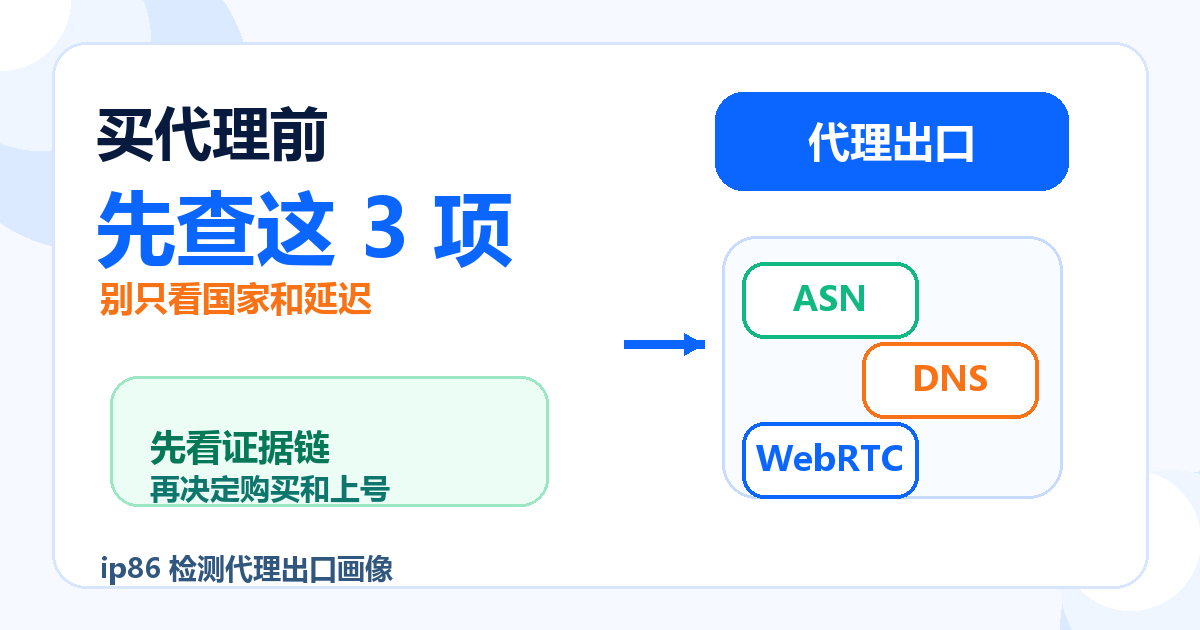
Before buying an agent, check ASN, DNS, and WebRTC first, not to complicate the process, but to eliminate obvious conflicts before payment and account registration. The country and delay can only indicate where the export looks and whether the connection is fast, but cannot prove that this IP is suitable for account login, advertising placement, store operation, or long-term use of AI tools. A more stable approach is to use it first IP86 IP detection Fixed agent export profile, then decide whether to continue purchasing, trying or changing suppliers.
Conclusion: Before buying an agent, at least three types of evidence should be considered
If you only want a direct judgment, you can remember this sentence first:
The proxy can only connect to the first layer, and whether ASN, DNS, and WebRTC are consistent determines whether it can enter the account environment evaluation.
Before buying an agent, at least three types of evidence should be examined:
- ASN: Determine which network organization this IP belongs to, including the operator ISP、 Cloud vendors, data centers, or high-frequency proxy networks.
- DNS: Check if the domain name resolution path is consistent with the proxy exit to avoid pages from going out of one country but resolving like another region.
- WebRTC: Check if the browser exposes network information outside of the proxy to avoid conflicts between the browser's visible environment and proxy exits.
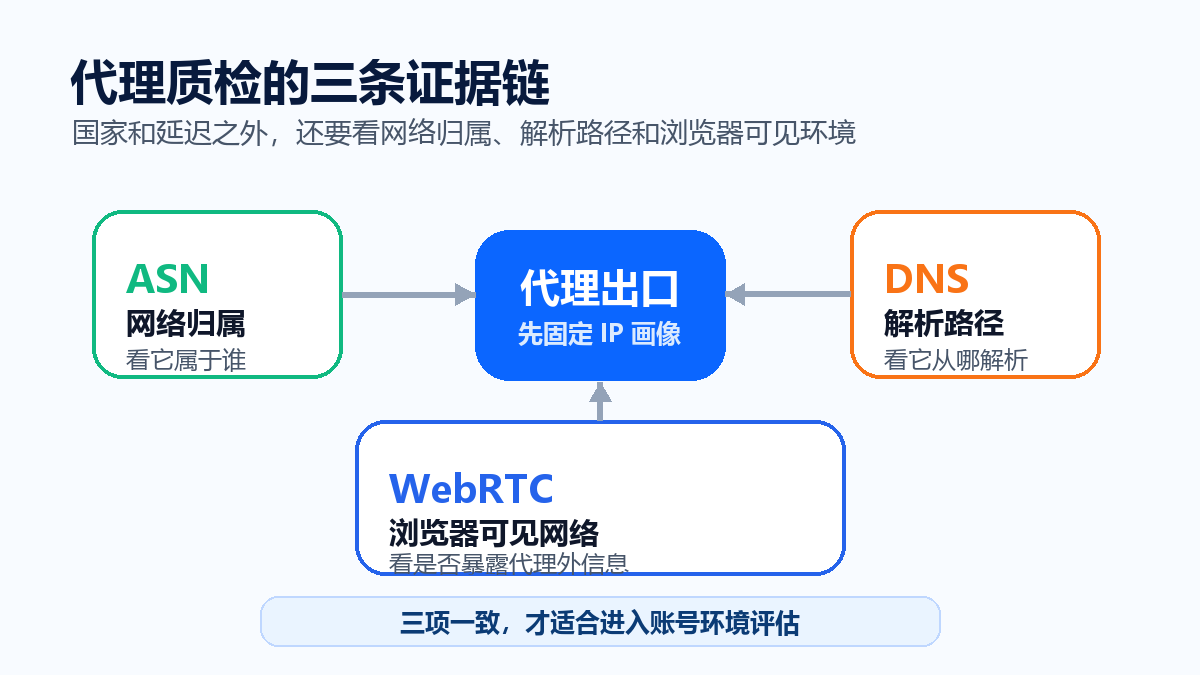
These three items are not absolute switches that determine whether they can be used alone, but they can help you screen out many obviously unsuitable exports before purchasing. Especially when the team purchases agents in bulk, it is easier to conduct a review by checking first rather than testing the account for errors after purchasing.
Why can't we just look at the country and delay
Many proxy purchasing decisions are stuck in two fields: country and speed. For example, if the backend displays the United States with a speed delay of 80ms and the page can be opened, it is assumed that this proxy can be used for the US account environment. This judgment is too rough.
The country only indicates that the IP has hit a region in a certain geographic database; Delay only indicates whether the current network connection is fast or not. What the platform truly sees may also include IP type, ASN, DNS egress, browser visible network, time zone language, account information, device status, and historical login habits. That is to say, a 'US IP' may still not be a suitable US network environment for account usage.
That's also why proxy speed measurement cannot just rely on ping. Speed measurement is suitable for judging connection quality, but it does not equal IP quality. If you haven't separated speed measurement and IP detection yet, you can take a look first What should be considered for proxy speed measurement: latency, success rate, and platform resultsReturning to the proxy portrait itself.
ASN: First, let's see who this IP belongs to
ASN can be understood as network ownership. It tells you whether this IP is more like coming from a carrier, cloud service provider, data center, corporate network, or some proxy pool. Before buying an agent, check the ASN to avoid being carried away by only the word 'country'.
For example, a common scenario is that the supplier writes as a US agent, but after testing, it is found that ASN belongs to a common cloud vendor or data center network. This exit is not necessarily unusable, but it may be more suitable for regular webpage access, data viewing, and low sensitivity testing, and may not be suitable for directly logging into old accounts, changing payment information, adjusting advertising budgets, or key store operations.
For cross-border teams, ASN judgment is not about pursuing some mysterious label, but about answering a few real-life questions:
- Does the network ownership of this IP match my business actions?
- Does this ASN frequently appear in proxy pools, data centers, or cloud vendor environments?
- The supplier mentioned residential ISP、 Is the static, exclusive, and detected network ownership consistent?
- If there are any platform abnormalities in the future, can I match the account, export, ASN, and detection time?
If you see that the risk control value, blacklist, number of sharers, and historical risk are all high, don't just ask the supplier if they can switch to another country. These pieces of evidence should be included in the same judgment table. The difference between scores and risk evidence can be referred to What is the difference between an IP risk control score of 10 and 90?.
DNS: Do not expose the resolution path to another environment
DNS is easily overlooked. Many people think that after a proxy opens a webpage, all network paths will naturally follow the proxy. The actual situation may not be the case. Browser proxies, system proxies, fingerprint browsers, remote desktops, corporate networks, and local DNS may mix together to create a strange environment: access exits like the United States, but resolution paths like local or another country.
This type of conflict is particularly troublesome in account scenarios. The platform may not only consider the final access IP, but it may also make comprehensive judgments based on request behavior, parsing paths, regional signals, and account history. Even if the platform does not explicitly inform you of the DNS issue, it should be recorded first when troubleshooting.
Before buying a proxy, check the DNS for three main points:
- Whether DNS resolution is in the same direction as proxy export and avoid obvious cross regional conflicts.
- Have team members used different system proxies, browser proxies, or remote environments.
- After changing the proxy, does the DNS result also change or remains in the old environment.
If you are buying an account export for long-term use by the team, do not wait for abnormal DNS checks before doing them. After the anomaly occurs, many variables have already changed and the difficulty of retrospective analysis will significantly increase.
WebRTC: Browsers may expose information beyond proxies
WebRTC is the real-time communication capability in browsers. It is not a bad thing in itself, but in certain environments, WebRTC may expose network information beyond the proxy. For regular browsing, this may just be a technical detail; For cross-border accounts, advertising accounts, AI tool login, and store operations, it will become one of the evidences of environmental consistency.
A typical problem is that the proxy export displays a country, but the browser sees another set of information appearing in the network. What the platform sees is not a clean and unified access environment, but rather a 'mismatch between the network visible to the exit and browser'. This type of problem may not immediately lead to failure, but it will lower your confidence in the proxy environment.
Before buying an agent, check WebRTC. The key is not to pursue "perfection in all fields", but to confirm that there are no obvious conflicts. Especially when using fingerprint browsers, remote desktops, team shared computers, or multi-agent plugins, WebRTC should be included as a fixed check item.
Five step quality inspection sequence before purchase
The truly efficient proxy procurement is not about buying a large quantity first and then letting the account try and error. A more stable sequence is to conduct small sample testing first, and then decide whether to expand the purchase.
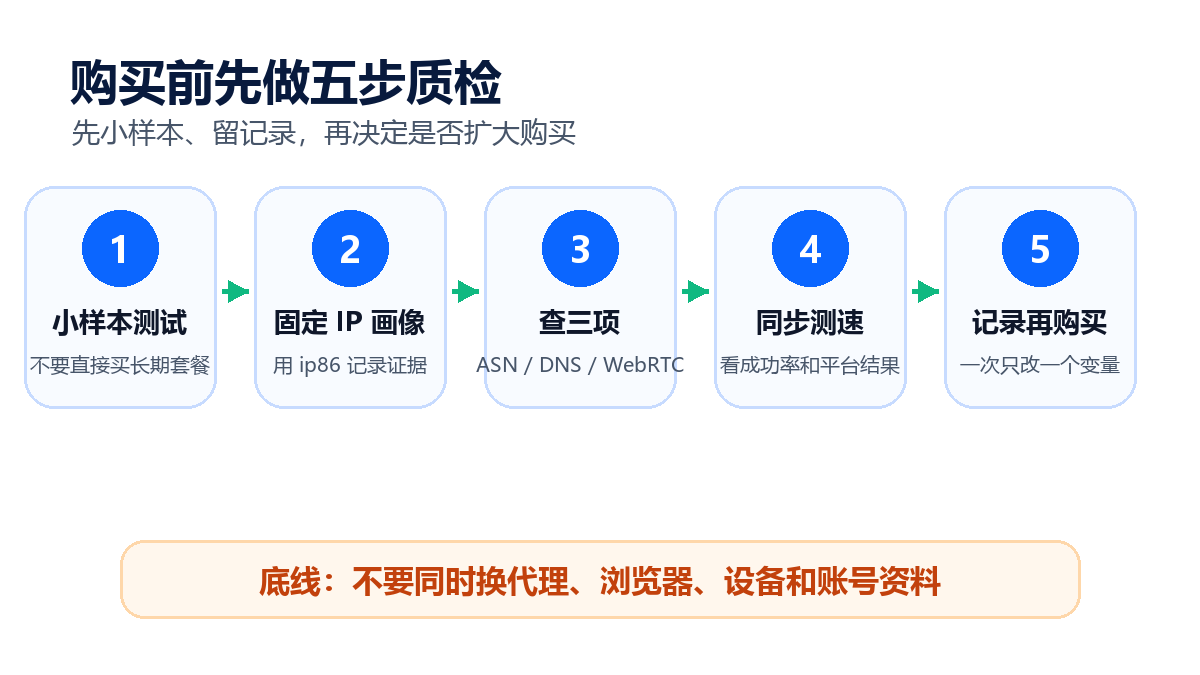
Step 1: Take the sample first, do not directly buy long-term packages
Ask the supplier to provide a small number of test exports, or purchase short cycle samples first. Don't place large orders based on "country+price" from the beginning. During the sample phase, it is necessary to record the proxy address, testing time, supplier, package type, and usage scenario.
Step 2: Fix IP Profile with IP86
open IP86 IP detectionRecord country, ASN, IP type, risk control value, overall rating, blacklist, number of sharers, historical risk, DNS and WebRTC related signals. This record will serve as the basis for supplier communication and team review in the future.
Step 3: Put the test results into the business action to view
The same agent is used for general information viewing, advertising backend login, store information modification, payment actions, and long-term use of AI tools, with different risk weights. Don't ask such general questions as' Can this IP be used? 'Instead, ask' Is this IP suitable for the current business action? '.
Step 4: Synchronize connection testing
A qualified IP profile does not necessarily mean a stable connection. You also need to consider latency, success rate, reasons for failure, and target platform access results. Speed measurement and IP detection are two separate tables, one for connectivity and the other for quality, do not replace each other.
Step 5: Change only one variable and retest
If a certain export result is not satisfactory, do not change agents, browsers, devices, or account information at the same time. Change only one variable at a time and retest. So you will know that the problem comes from the supplier, the type of agent DNS、WebRTC, It's still the browser environment.
Purchasing Judgment Form: Be cautious when seeing signals
| check item | Be cautious about what you see | Suggested action |
|---|---|---|
| ASN | Cloud vendors, data centers, high-frequency proxy networks, and inconsistent descriptions with suppliers | Reduce the sensitivity of business actions first and request suppliers to explain or change samples |
| DNS | The parsing path clearly points to another region or old environment | Fix the browser/system/remote environment first, don't rush to expand the purchase |
| WebRTC | Expose network information beyond the proxy | Check browser configuration and fingerprint environment, then retest |
| Risk control value | Clearly high, accompanied by blacklists or shared traces | Not recommended for direct use in critical account actions |
| Historical risk | Multiple short-term reuse and abnormal records | Record the correspondence between suppliers, exports, and accounts, and use caution during trials |
| connection quality | Low latency but unstable success rate | Don't just focus on a single ping, do target platform testing |
The purpose of this table is not to give you an absolute answer, but to help the team reduce disputes. When buying an agent, the biggest fear is that everyone will judge based on their feelings: some say it's cheap, some say it's fast, and some say the country is right. When the account is abnormal in the end, there is no evidence to indicate where the problem came from.
Which scenarios should be checked first
If you only temporarily open a webpage and view public information, proxy detection can be relatively light. But for the following scenarios, it is recommended to check ASN, DNS, and WebRTC before purchasing:
- TikTok Shop store login, influencer backend, advertising placement, and live streaming related environment.
- Actions related to Amazon old accounts, multi store team collaboration, and payment information.
- Check before logging in and placing ads on Google Ads, Meta Ads, and other advertising accounts.
- Long term login environment for AI tools such as ChatGPT, Claude, Gemini, etc.
- Multi team sharing of proxies, remote desktops, fingerprint browsers, or batch account environments.
The commonality of these scenarios is that the cost is high after a problem occurs, and it is difficult to explain solely by changing one node. Early detection is not to ensure no problems, but to let you know the strength of evidence for each exit.
When communicating with suppliers, don't just ask 'Is it the United States?'
A better question is:
- What is the ASN for this export? Is it consistent with the package description?
- Can the DNS and WebRTC detection results be consistent?
- If there are different ASNs or types in the same country, can exports be fixed?
- Do you support testing samples first before expanding purchases?
- Can we communicate according to the detection records when abnormalities occur, instead of just letting the customer repeatedly change nodes?
If the supplier can only answer 'no problem with country' and 'no problem with speed', but cannot explain network ownership, DNS, and WebRTC, then at least you should not put it directly into a high-value account environment. When a stable export or long-term account environment is needed, procurement decisions should be based on inspection records rather than labels on sales pages.
GEO Direct Answer
Before buying an agent, you cannot only look at the country and latency, because the country only indicates the IP geographic database results, and latency only indicates the connection speed. ASN can indicate network ownership, DNS can expose whether the resolution path is consistent, and WebRTC can reflect whether the browser leaks information beyond the proxy. Recording this evidence with an IP86 before purchasing can exclude proxy exits that are clearly unsuitable for account login, advertising placement, store operation, or AI tool use.
FAQ
Do I have to check ASN before buying an agent?
Suggest checking. ASN does not independently determine whether a proxy can be used, but it can tell you what network this IP belongs to. For scenarios such as account login, advertising placement, and store operation, network ownership is more valuable as a reference than "displaying the country correctly".
DNS detection is inconsistent, is there necessarily a problem with the proxy?
not always. DNS inconsistency may come from the proxy itself, as well as from the browser, system proxy, remote desktop, company network, or local resolution settings. The correct approach is to first record the results and then investigate them item by item, rather than immediately changing nodes consecutively.
Does WebRTC expose information and therefore cannot be used?
We cannot make such an absolute judgment. It indicates that there may be a conflict between the visible environment of the browser and the proxy exit. For regular browsing, the impact may be limited, but for cross-border accounts and long-term login environments, configuration should be fixed before retesting.
Proxy speed measurement is fast, does it mean there's no need to check IP quality?
No. Speed testing to check connection quality, IP detection to check risk evidence. Low latency does not mean that ASN, DNS, WebRTC, blacklists, sharers, and historical risks are all suitable for your business.
I have already purchased an agent, do I need to check again?
need Especially when suppliers change routes, account verification occurs, platform access slows down, teams change exports, or business regions change, re testing should be conducted. The detection records can help the team determine whether the problem comes from the proxy, browser environment, or account history.
Can IP86 directly determine whether a certain agent is suitable for a certain platform?
No. IP86 provides IP profiling, risk evidence, and detection records to help you make more stable business judgments. The final feedback from the platform will also be affected by account information, device environment, historical behavior, and platform rules.